 Routeens
Plan your week's driving once. Then just go.
Routeens is for people whose week is a list of places: work, gym, school, groceries. Add the places you go, drop them on days, and see every route, drive time, and when you're back home.
iPhone · iOS 17 or later · No account needed · Your data stays in your iCloud
Everything a repeating week needs
Built around the places you visit every week, not one-off trips.
The week at a glance
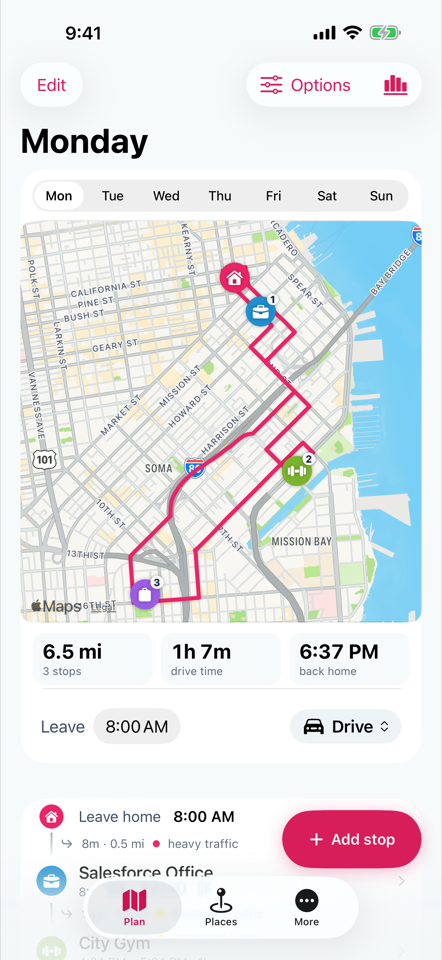
Seven tabs, one route each. Miles, drive time, and your back-home time update as you add or reorder stops.
Places you actually go
Save each place once with its type and opening hours. Adding it to a day is a single tap.
Live traffic and leave times
Apple Maps routing with rush-hour traffic, so the 8:00 AM plan reflects the 8:00 AM roads.
Reminders and widgets
A leave-time reminder for any day, and home-screen widgets that show today's route without opening the app.
Rain at arrival
When rain is likely at a stop's arrival time, a chip on the stop says so. Apple Weather, no separate app.
Insights and projections
Miles per day, your most visited places, and what a year of your commute adds up to in hours, fuel, and cost.
How it works
Three screens. A sample week is loaded on first launch so you can try it before adding anything.
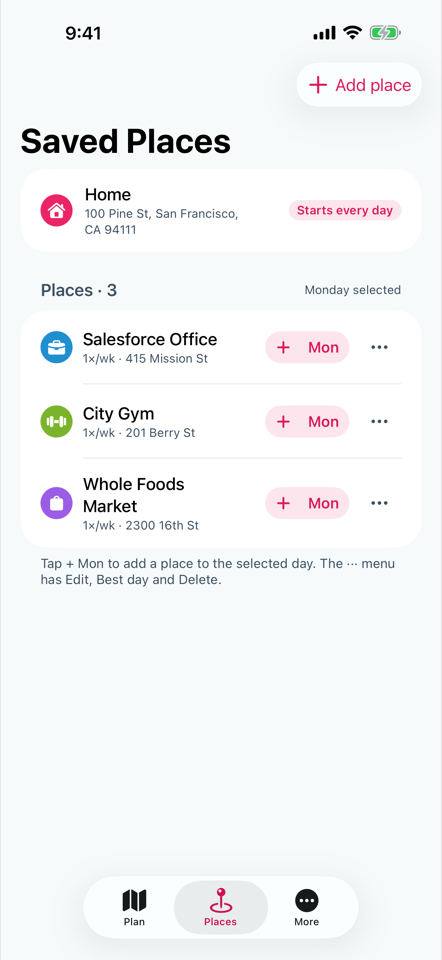
1Save your places
Home first, then everywhere else. Search by name or address; Routeens keeps the coordinates and hours.
2Build each day
Tap a place onto a day, set how long you stay, and let Routeens order the stops and time the route.
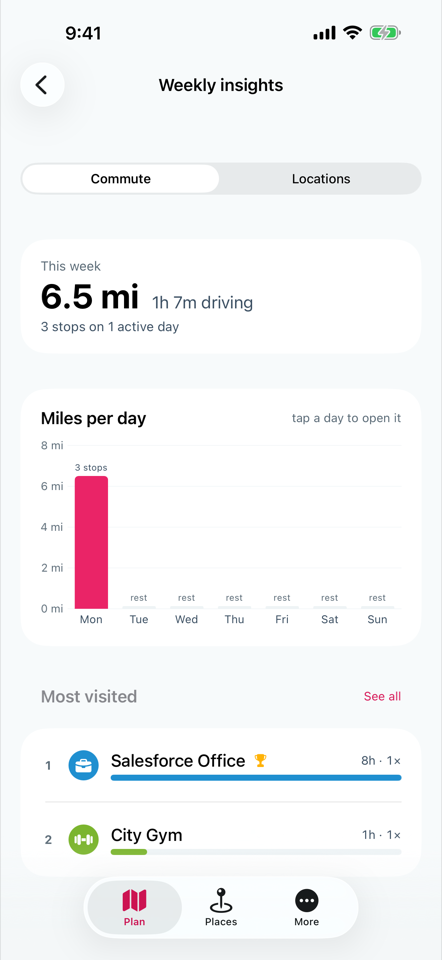
3See the week add up
Insights show where the miles go. Projections turn a week into a year of driving, fuel, and hours.
No account. No tracking. No servers.
Your places and plan live on your iPhone and, if you turn on iCloud, in your own iCloud account. Routeens has no analytics, no ads, and nothing to sign up for.
Get Routeens
Routeens is in beta on TestFlight ahead of its App Store release. Email us and we'll send you an invite.
Requires iPhone with iOS 17 or later.